
New 15 days of Pro free on every new sign-up
PDVyn
Log in Start free
Free tool · no sign-up

Store credit spreadsheet, free, for Excel and for printing

Swap the paper notebook for a spreadsheet that adds up purchases, subtracts payments and shows what each customer owes. Or print the ready-made ledger.

Store credit spreadsheet in Excel

Log purchases and payments and each customer's balance shows up on its own. Anyone over their limit turns red.

opens in Excel, Google Sheets and on your phoneDownload spreadsheet (.xlsx)

Printable store credit ledger

One card per customer, a summary of who owes what and a quick guide, on A4 sheets you can print as often as you need.

PDF · 3 pages · A4Download ledger (PDF)
01how to use it

How to track store credit with the spreadsheet

Three steps, the way you already do it on paper, minus the math mistakes.

Add your customers

On the Customers tab, the name of everyone who buys on credit, their phone and the limit you accept for each.

Mary · limit 300.00

Log purchases and payments

On the Entries tab, one row for each credit purchase and one for each payment, with the date.

purchase 42.50 · payment 30.00

See who owes what

Each customer's balance is calculated for you. Anyone over their limit shows in red.

42,50 − 30,00 = 12,50
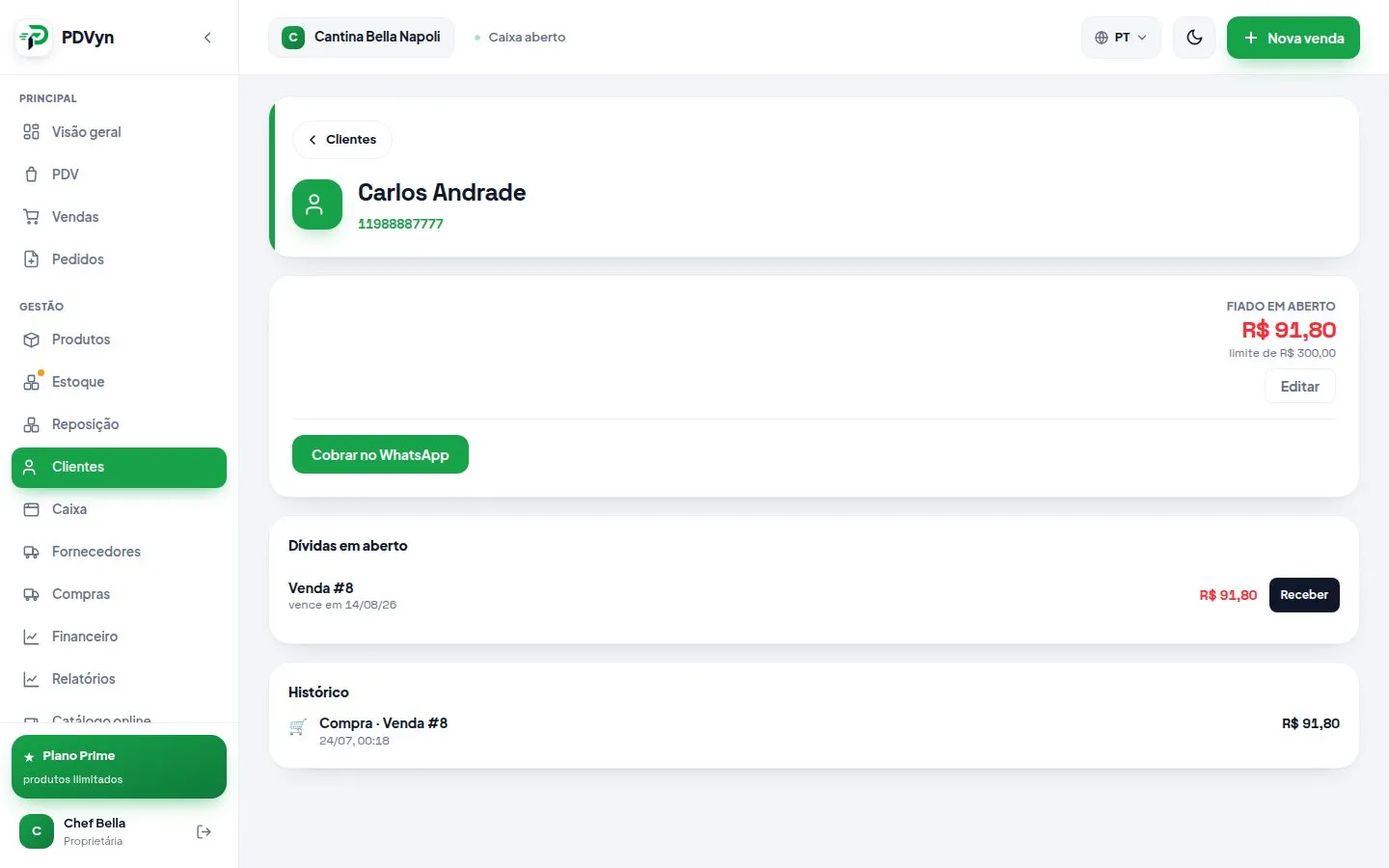
Customer record in PDVyn with store credit balance and due dates
02when the spreadsheet is not enough

Store credit lands on the customer's card with every sale

With a spreadsheet you type every purchase twice: at the register and in Excel. In PDVyn a credit sale goes straight to the customer's card with its due date, and you send the reminder over WhatsApp.

Balance and due date for each customer A list of who is late Partial payments with a receipt

Frequently asked questions

Use one row for each purchase or payment, with the date, the customer's name and the amount. The spreadsheet adds up purchases, subtracts payments and shows each customer's balance. Agree on a limit with each customer and check balances every week.

Yes. In Google Sheets, open File, Import and pick the downloaded file. On your phone, open it with the Excel or Google Sheets app.

You can, as long as you agree on it with the customer before the sale. Late fee limits depend on local consumer law, so check the rules where you sell. To do the math, use the store credit interest calculator below.

In a spreadsheet you type every purchase by hand after the sale. In a system like PDVyn, a credit sale goes straight to the customer's card, with a due date, a list of late payers and reminders over WhatsApp.

Yes. Download, use and print it as often as you like, with no sign-up and no card.

more tools

Other numbers small shops crunch every day

Store credit interest calculator Selling price calculator Catalog maker

There's still time to get this month in order

Create your account in two minutes, add five products and make your first sale today.

Start free Email us Get it onGoogle Play

No card to start · 15 days of Pro free · cancel anytime